
This article will detail the initial phase of pre-appointment from the SIP3/Fact Find to how you generate the proposal for client and creditors.
Before continuing with the use of the IVA module, make sure you have as much supporting information regarding the client as possible. You can gather information using the various other modules including HubSolv Messenger to arrange credit reports and bank statements.
The I&E (SFS/CFS) module and Debts module will need to be completed to continue the case to the assessment phase. The information that is gathered within these modules will be pulling into the IVA module to generate the proposal so having this information filled out completely is necessary. You can find out more about these modules in the links below.

From here, users can go through the fact find tab within the IVA module and qualify the case through a set questionnaire. This forms your SIP3 Call.
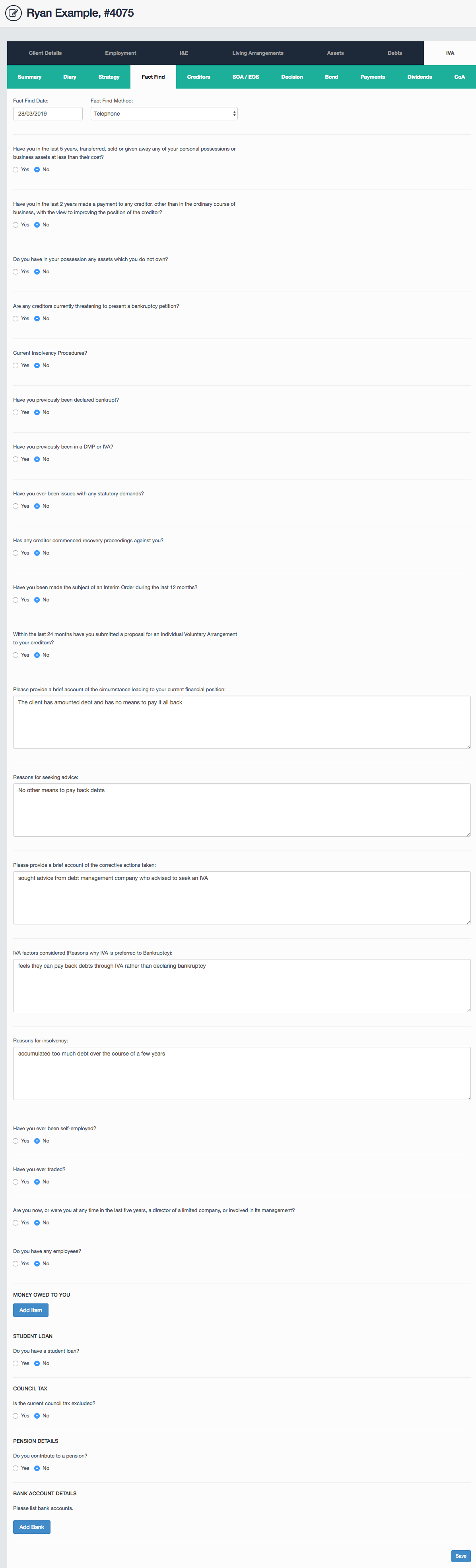
To set up a new IVA, you must start with the SIP3 call and the way to facilitate this through HubSolv will be through the Fact Find tab. HubSolv can also provide a more detailed version of the Fact Find which can provide the case with more information and refined questions/answers. This information will be merged into the proposal document using dynamic fields available through HubSolv. Click on the link below to see a list of dynamic fields you can incorporate into your documents.
If you are preparing a joint case you can switch between the relevant fact finds using the drop down at the top of the page. To enable this, make sure the “Spouse/partner seeking IVA” box is ticked in the strategy tab.
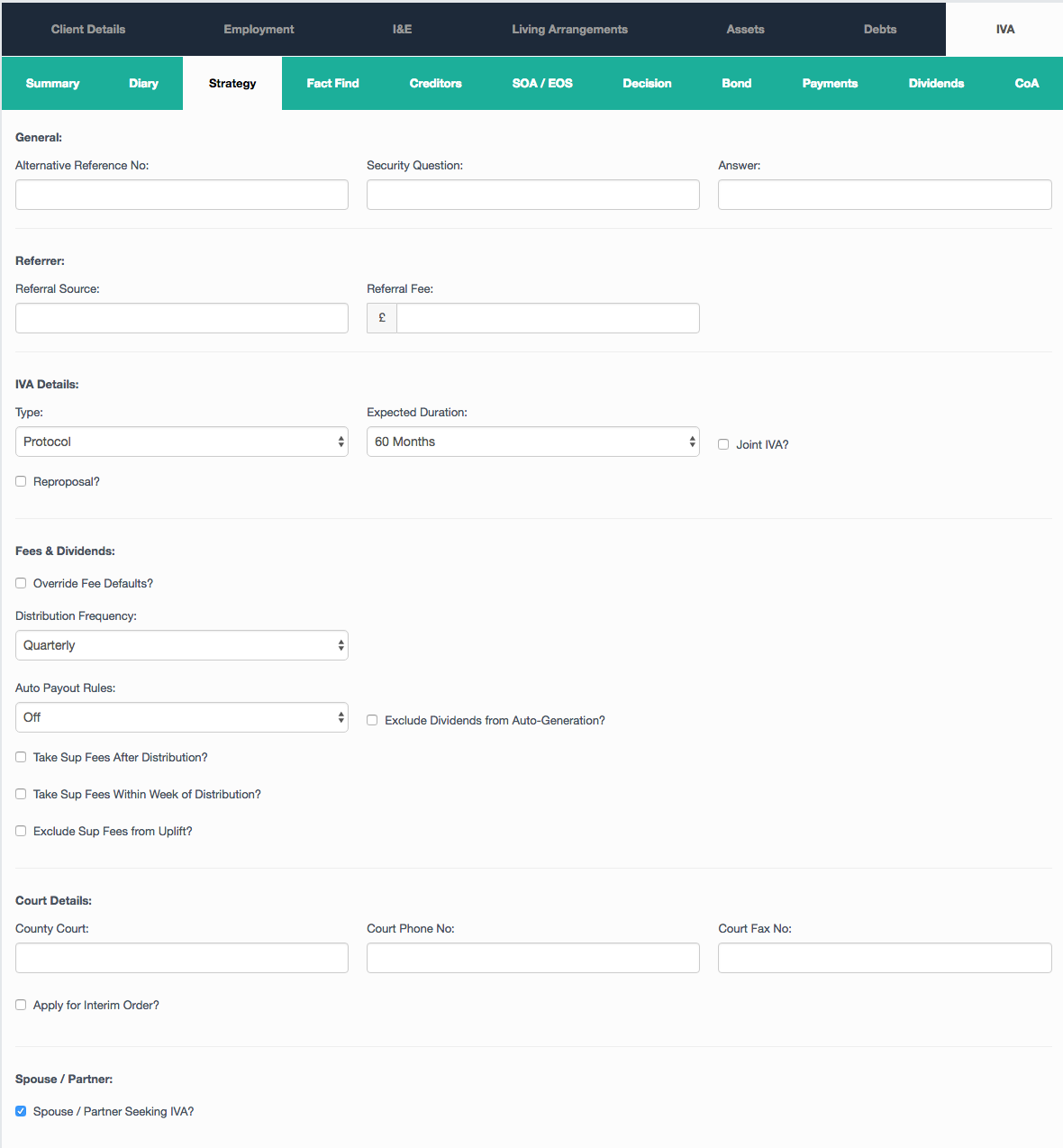
From here, access the strategy tab where you can choose the nominee and supervisor of the IVA as well as altering the fees if a scenario occurs where creditors reject the initial proposal. You can update the nominee and supervisor drop-down list by adding users into the relevant group within your HubSolv group management settings. Contact the Helpdesk if you require a group to be set up.
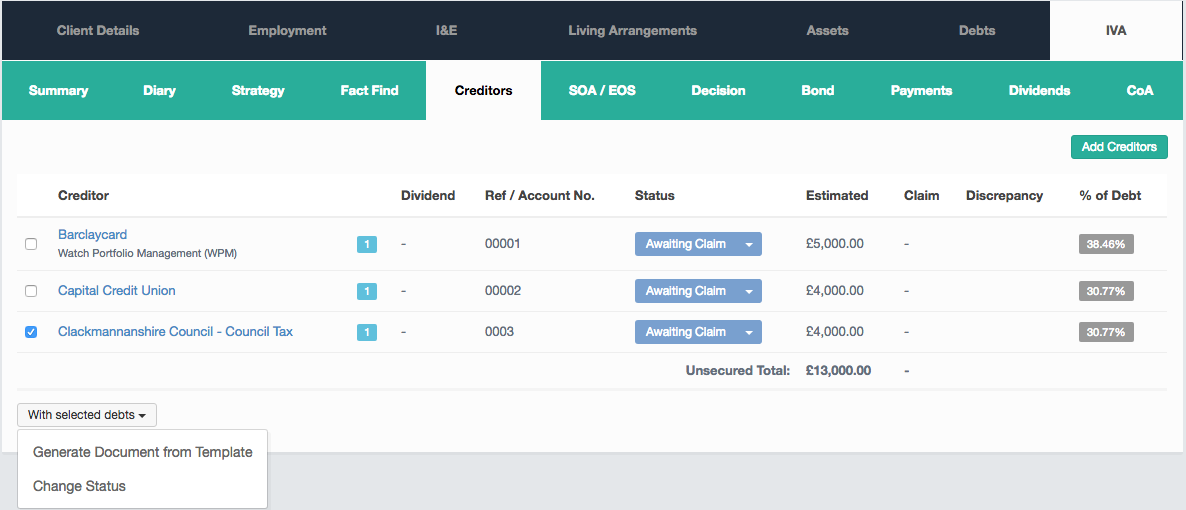
Going into the creditor's tab allows you to review all case debts and set estimated balances from creditor to creditor. From the list, you can update the creditor status, view any discrepancies and see the % of total debt each creditor amounts to. You can update the individual creditors listed as they respond to the proposed IVA. From this tab, you can generate documents for creditors from your templates. This can be useful when a meeting has been adjourned or when a case has been changed.
The next stage would be to generate the Estimated Outcome Statement (EOS) after you have the estimated balances for all creditors. These estimates form part of the proposal and notify the creditors to how much pence in the pound they would receive if the proposal is agreed. Creditors will also be notified about being able to make claims against these estimated balances once the proposal has been sent. You can also confirm that it is this EOS that has been proposed to the client using the button at the bottom of the page. The proposed and current buttons are used in the post-appointment phase.
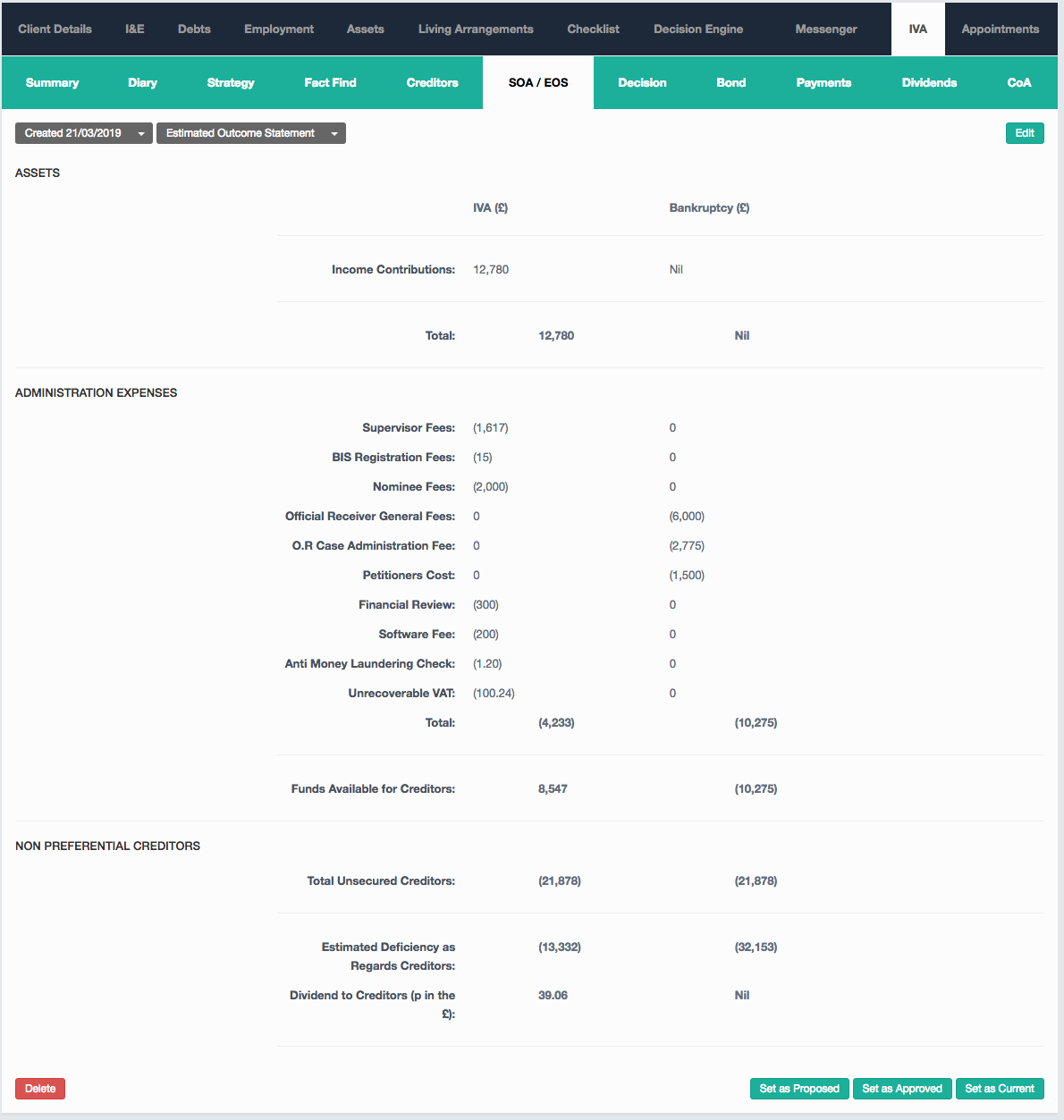
Also within this tab is the Statement of affairs where you can confirm the client's assets and liabilities. The assets that will be excluded for example a hire purchase vehicle.
Once you have all of this in place and have the estimated balances for each creditor, you will be ready to generate the proposal. This can be first sent to the client for a digital signature or it can be printed and posted for a written signature. For more information on our integration with signable click the link below.
To generate the proposal, first, make sure your document is stored as a letter template then go to the client record and select actions – Create Letter.
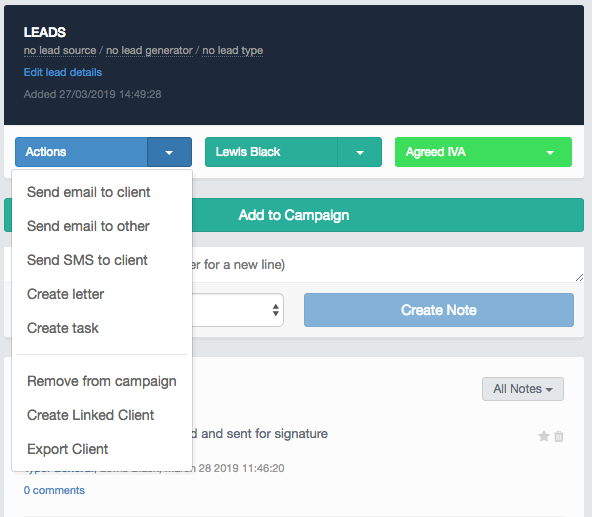
Choose the relevant template and the document, using dynamic fields, will auto-fill the relevant fields that have been completed within the client record. It will then appear in the client files for you to review and to also send for signature. The process to generate the proposal and send it to signable can also be automated. To learn more about this you can click on the link below.
Trigger to Generate and Send Documents to Signable
You can then send the proposed IVA to the creditors who would then have the opportunity to make a claim against the estimates which also forms a part of the post-appointment phase.
Once the proposal has been generated, sent and signed, you can then move on to the Creditor Meeting and allow the creditors to vote on the IVA.
If you require any assistance regarding the Pre Appointment Phase, email helpdesk@hubsolv.com
Comments
0 comments
Article is closed for comments.