
There may be several instances where you will generate documents based on templates stored within your HubSolv that are then sent to clients or creditors for example. This process can be automated via a status change so that when the relevant status is selected for the client, it triggers the generation of the associated document and can also be sent to Signable if you have set up an account with them.
To create the trigger, go to the appropriate campaign or create a new campaign if you would like this process to be separated from your incoming leads for example. From here, create a 'status changed' trigger and make sure you have also created the relevant status which will be your condition when you build your action. Select the 'Generate Documents from Templates' action and select the relevant template document you wish to generate.
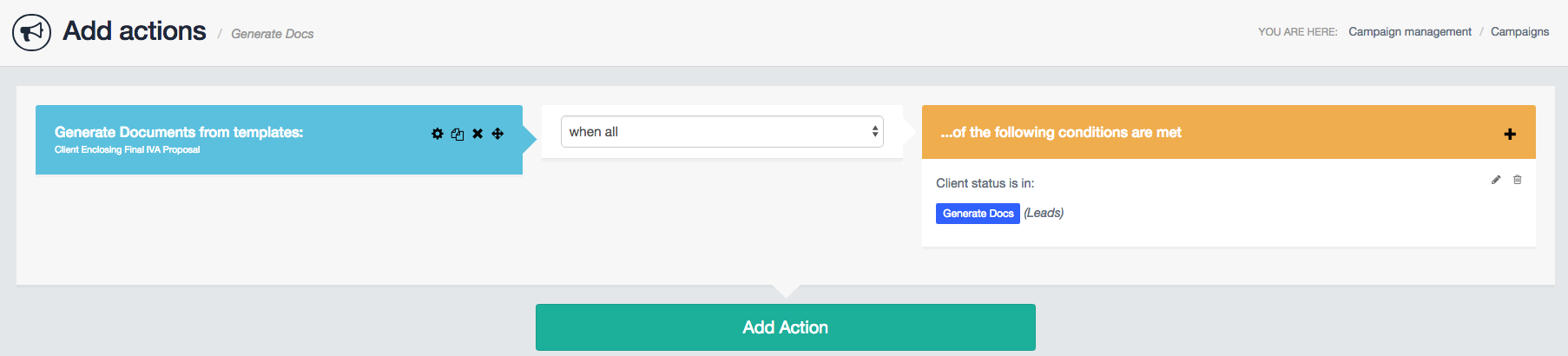
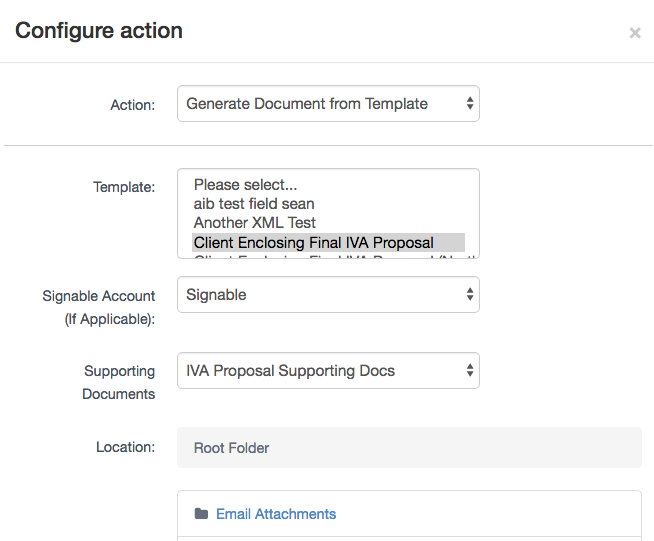
Select the 'Generate Documents from Templates' action and then the template you wish to generate. Select whether this will be using the Signable integration or not (if not, the document will still generate just without the Signable fields) and whether there are any supporting documents should be generated alongside the original. If you have created client folders you can also select where this document will be stored within the client files section of the client record.
Once the case reaches the point where you need to generate the proposal to send to the client, you can automate this using the process above with the assistance of a status change. For more information on the pre-appointment phase click on the link below.
As with any trigger, you can also add in conditions for the trigger to follow certain statuses or actions within HubSolv. Find out more about triggers in this article.
Comments
0 comments
Article is closed for comments.