
The Income and Expenditure module allows users to build up a clients case throughout the Pre-Appointment Phase of an IVA (Trust Deed in Scotland).
Within the I&E module, there is a disposable income calculator which updates as you fill out the client's details in relation to their income and expenditure.
HubSolv allows for two different sets of guidelines (SFS and CFS) to assist users in what would be the maximum expenditure for certain outgoings. If the outgoings go above the maximum amount, a note can be included giving a reason to this that would factor into whether the proposal is agreed or not. Within the SFS I&E module, users can include individual notes against each expense which can also be pulled into the final proposal. The guideline allowances will automatically update when the living arrangements at the top of the expenditure page are changed.
CFS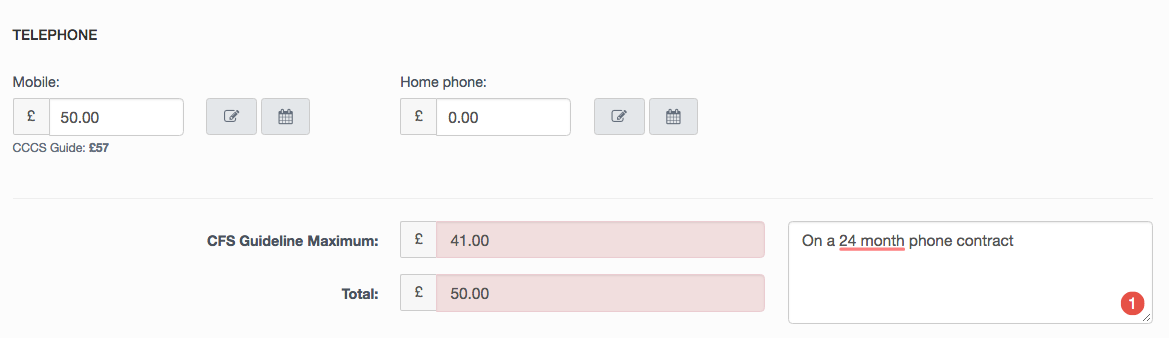
SFS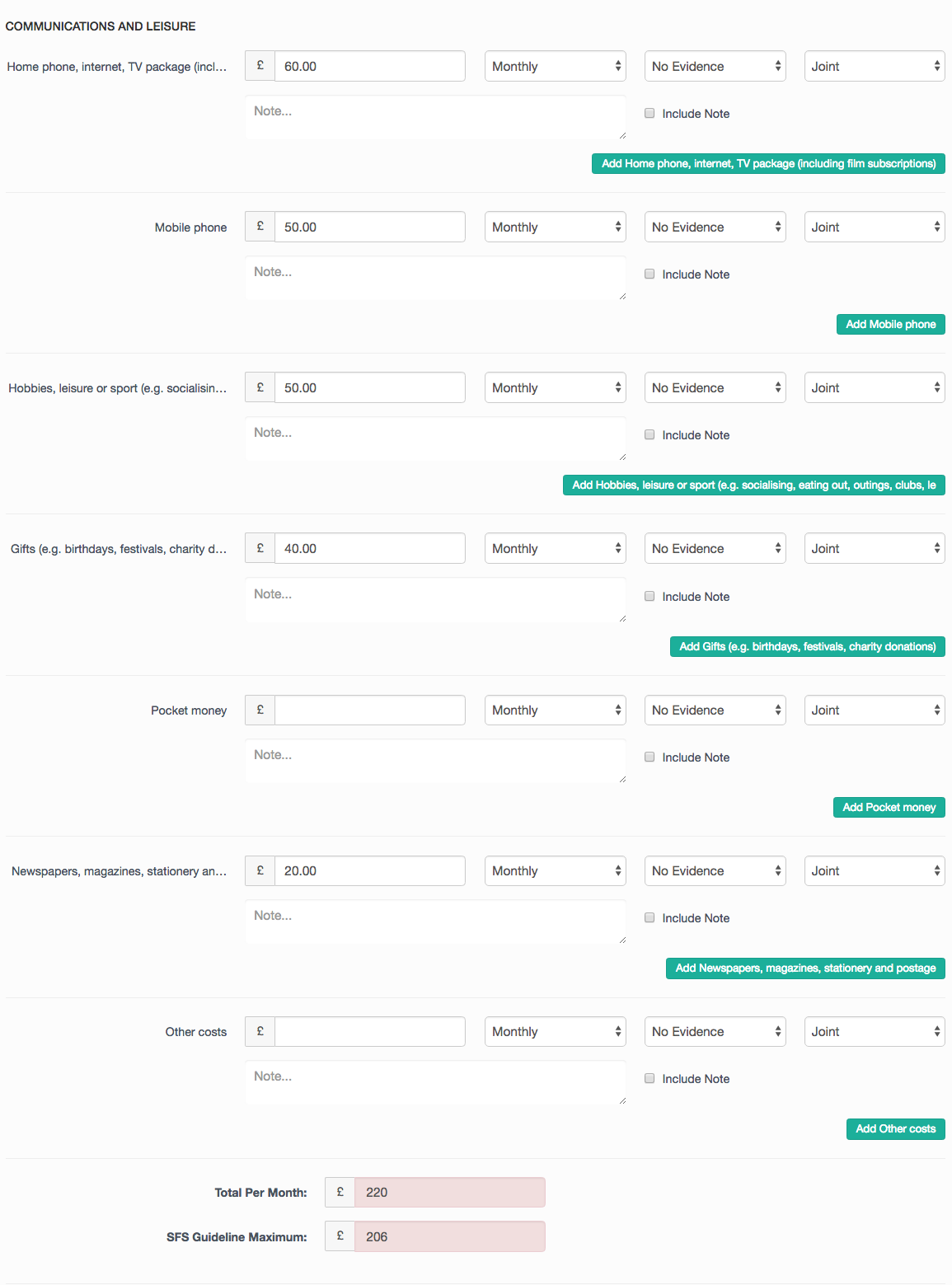
Perhaps the main benefit of using the I&E module is the use of the totaliser which gives you a live breakdown of both tabs within the module as you complete necessary fields.
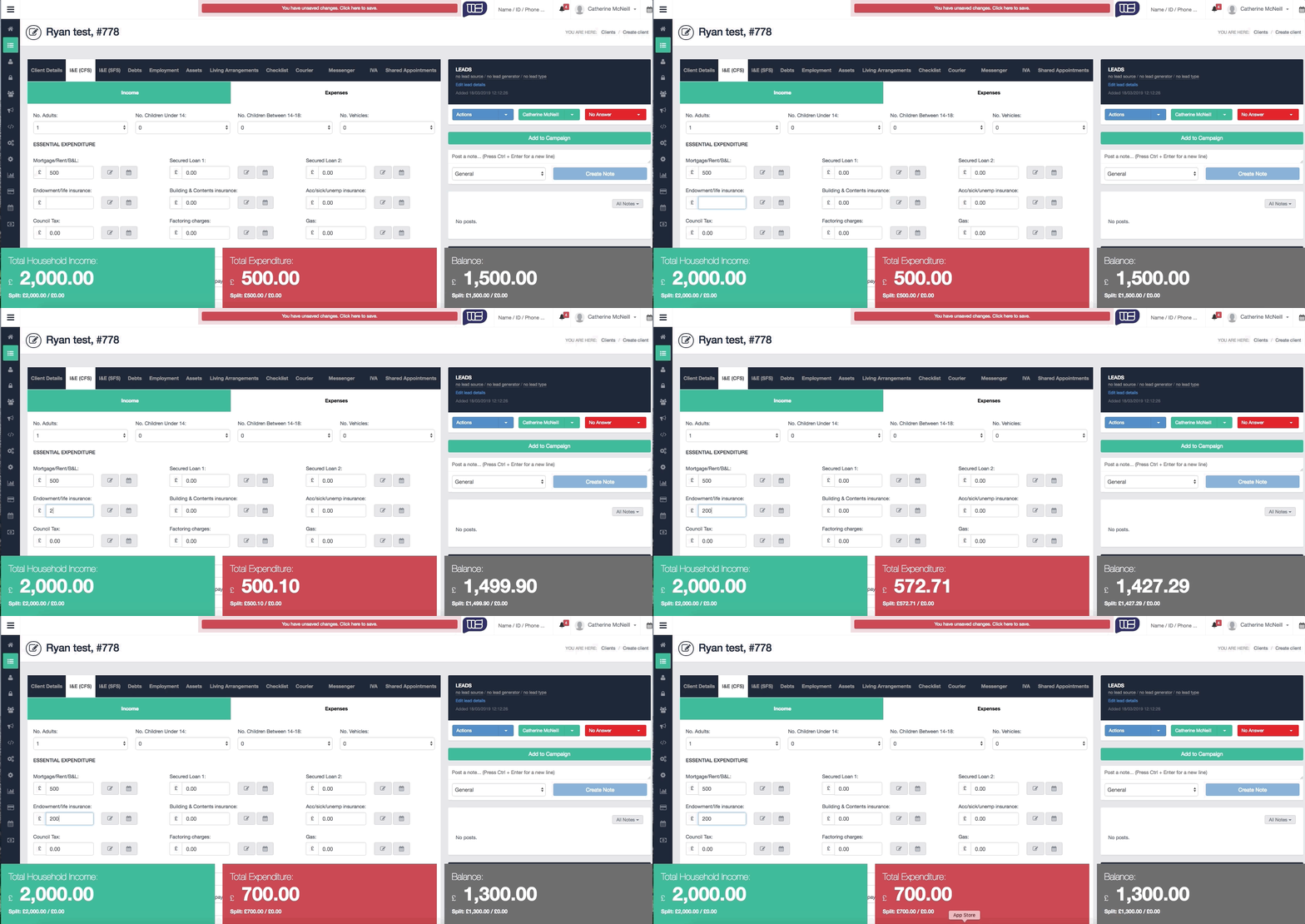
Within both versions of the I&E Module, you can include custom income and expenditure fields if you find any that are not appropriate to place within the predefined categories.
You can add an expiry date to expenditure items using the calendar icon next to any field. This is useful for setting reminders around clients potential disposable income increasing in a few months’ time (such as a close to completion Student Loan, or Hire Purchase agreements)
Within the SFS Module, there is an additional tab which provides a summary of the cases I&E which can be pulled into the proposal document for reference if you require a summary of this information.
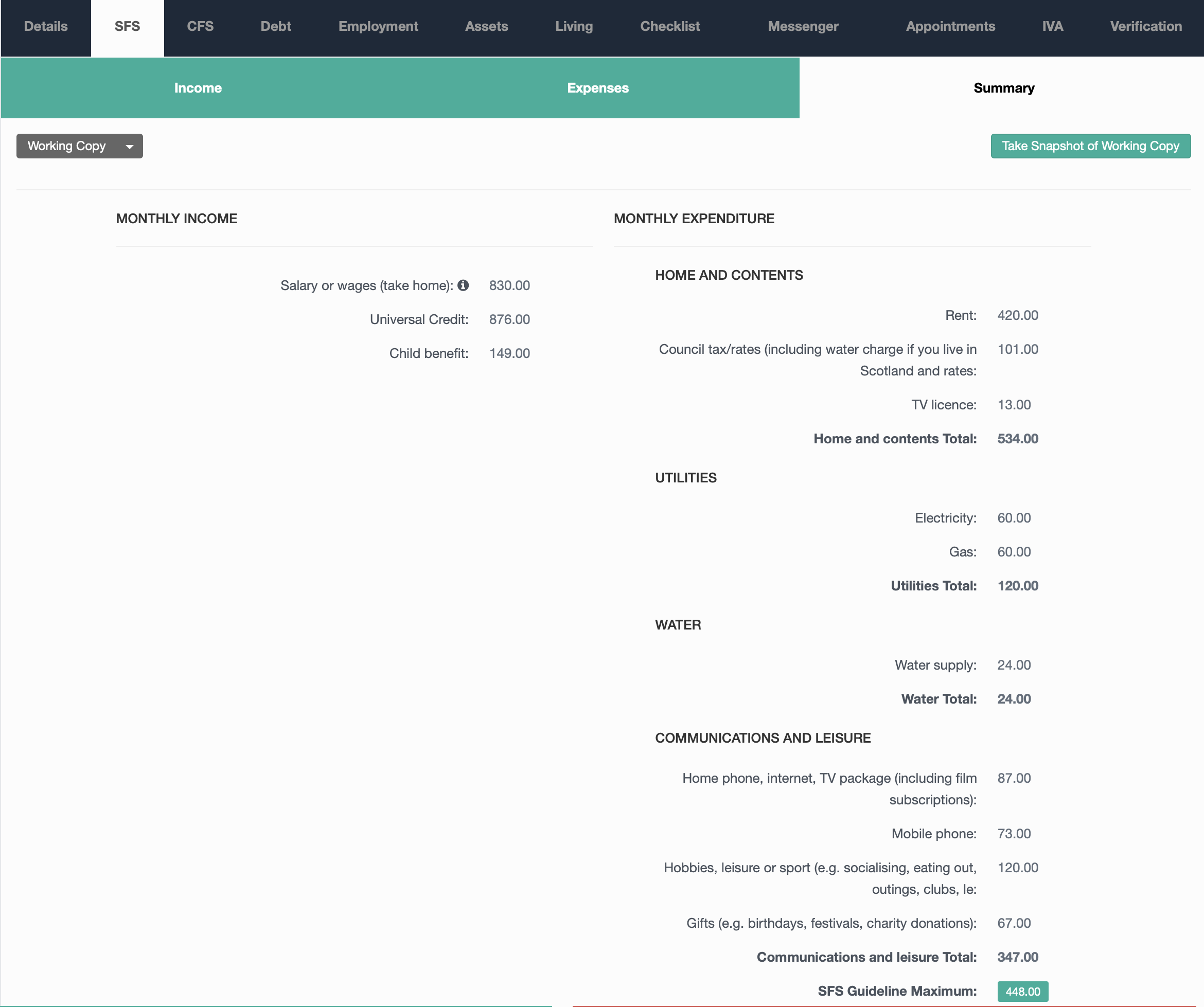
For further assistance with this, or anything else, please contact us via email - helpdesk@hubsolv.com
Comments
0 comments
Article is closed for comments.