
HubSolv has the ability to book appointments with other HubSolv systems you push cases too. Please note, that if you don't see another company's calendar they might not have shared access with you.
To access your own shared calendar, you should see a shared calendar button in your navigation bar on the left.
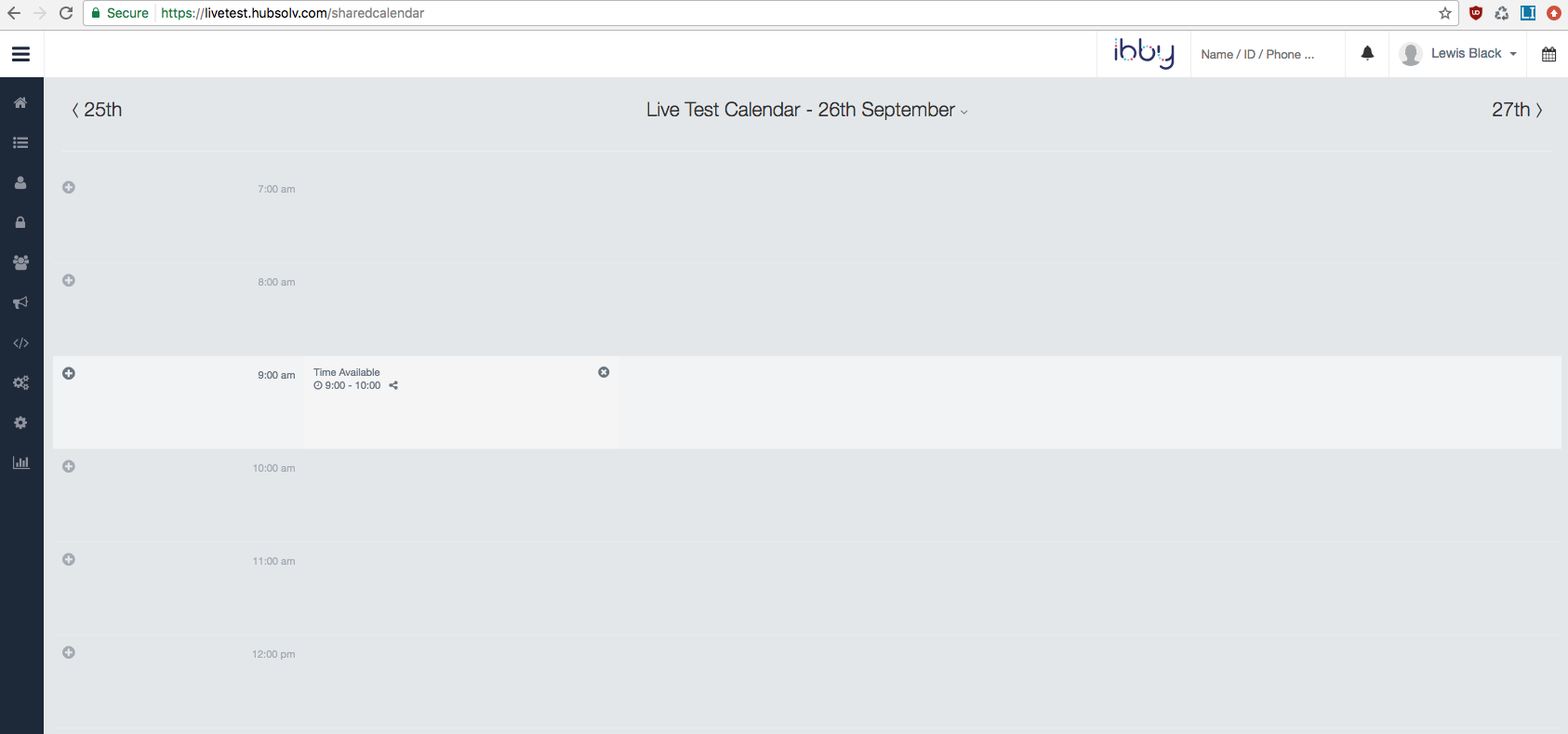
You'll be able to insert slots and share these slots with certain HubSolvs and assign them to certain advisors.
If you just want to use another company's calendar (Say you push a case to Insolvency 1) then when you go to the client details there will be a tab where you can book in appointments like so:
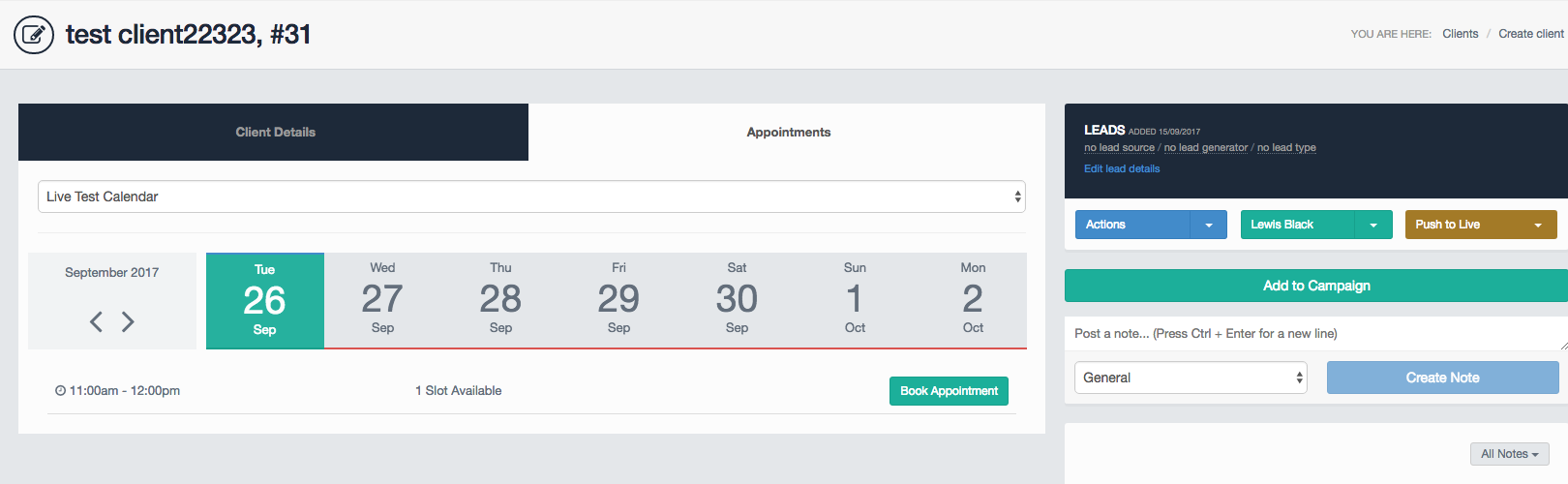
Once you book the appointment it will change to give you a date and an option to cancel it if you wish to do so.
Please note in order to book in an appointment the case must first be pushed to that HubSolv.
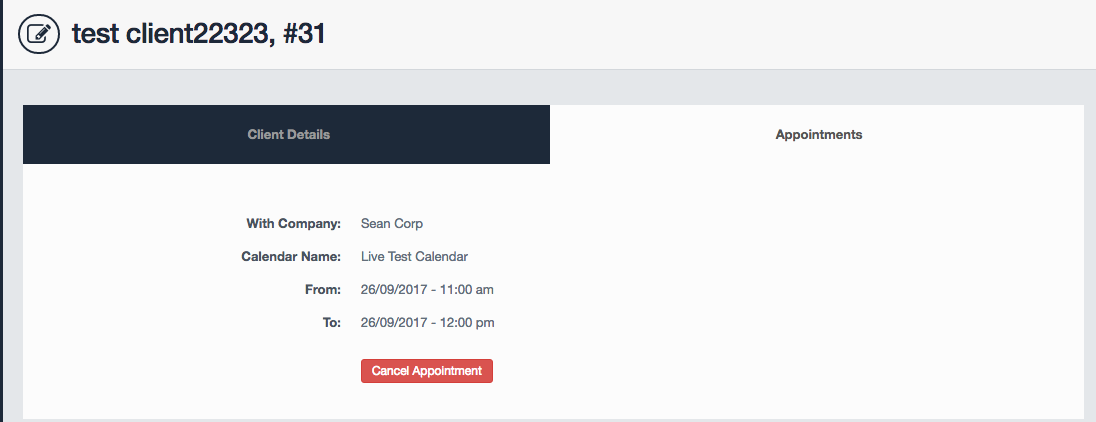
When an appointment is booked, advisors on the other HubSolv are assigned with a task and they'll be notified closer to the appointment time that they have an appointment due.
To pull through appointment information into an email or SMS confirmation, use the dynamic fields
$appointment_date$ or {appointment_date}
As always any questions can be directed towards helpdesk@hubsolv.com
Comments
0 comments
Article is closed for comments.