
HubSolv has the ability to do several tiers of notifications such as:
- Email the assigned User when X has happened
- Email the client when X has happened
- Task the User when X has happened
These together should give you a powerful way to keep your staff always alert with information on cases being passed to them in real time.
Trigger
First, we're going to build a trigger which will alert the assigned user when the client sends us an SMS.
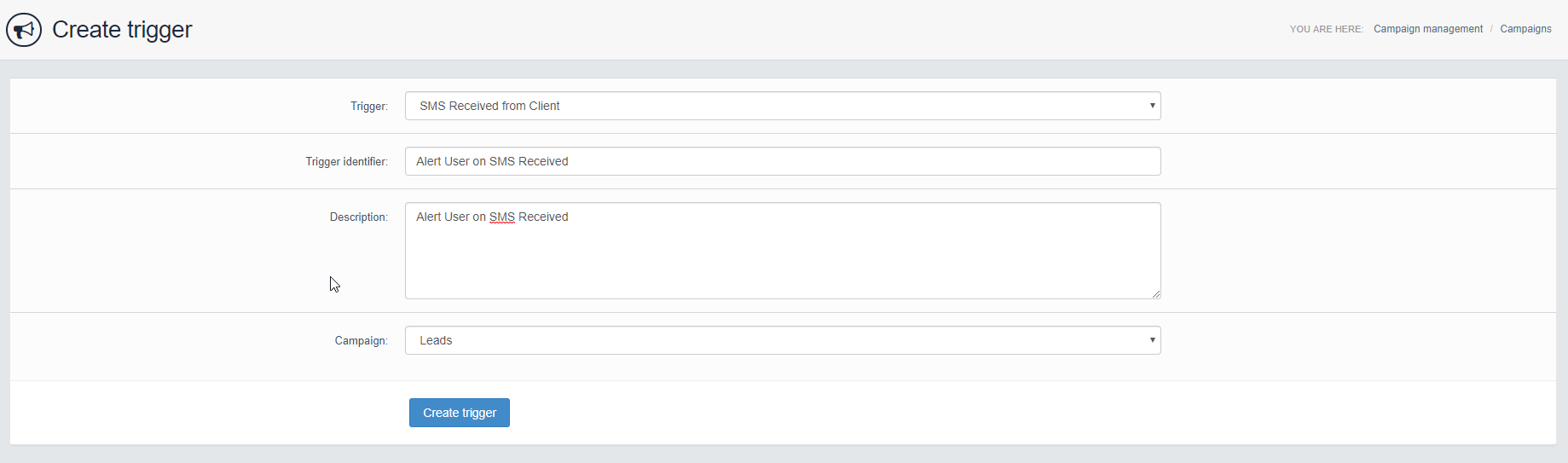
Trigger: SMS Received from Client, this will activate whenever a client sends an SMS to HubSolv.
Trigger Identifier: Name of Trigger
Description: Description of Trigger
Once that's been configured, hit Create Trigger and it'll be available in your trigger list paused.
Actions
Once you're in the add actions menu, you can use the following actions to then send an email to the assigned user.
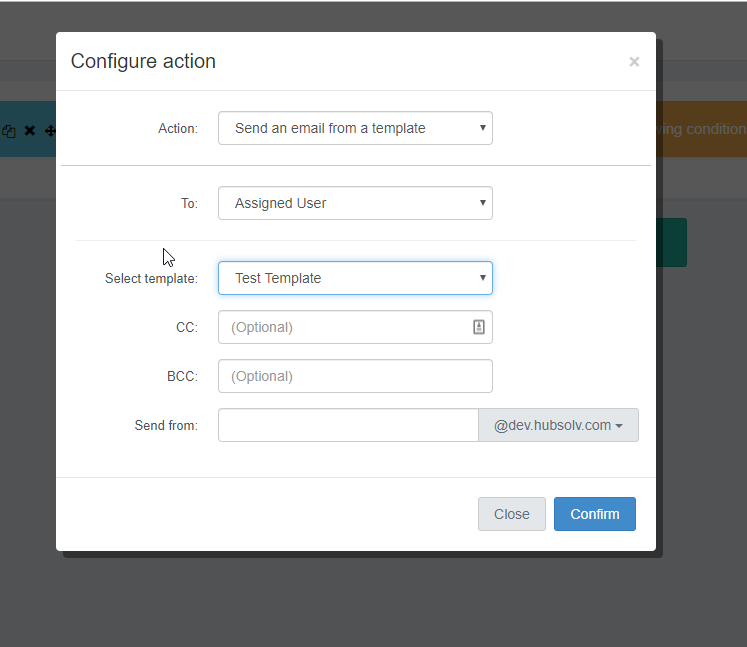
Action: Send an email from a template
To: Assigned User
Select Template: You'll need to create an email template if you wish to use this functionality.
CC/BBC: You can also CC/BBC whoever you'd like into these emails.
Send From: If you'd like a specific email handler to be responsible for this for easier searching in an email client, you can set it so.
You won't need any conditions for this trigger action as it's going to be activated only on an SMS coming in, you could get creative and have it pick up on certain text characters that come in using our Message Body Condition.
Once configured, just go back to the main trigger page, and unpause the trigger!
Messenger Notifications
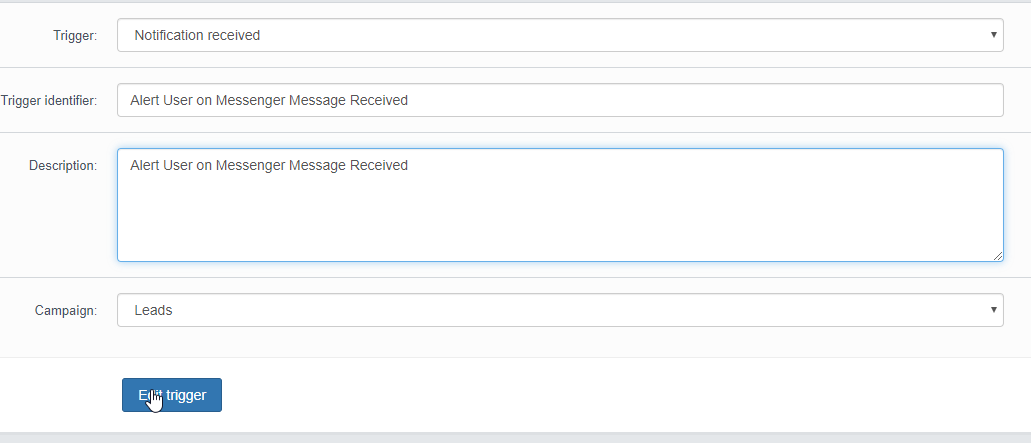
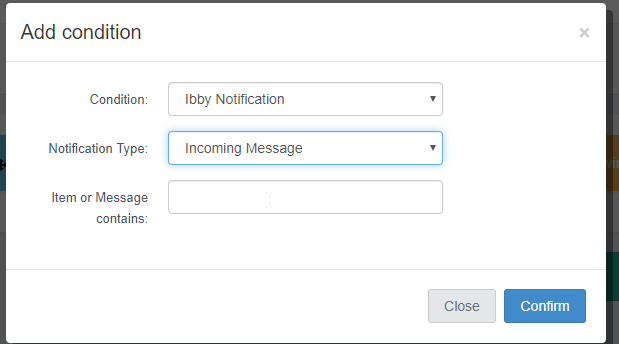
If you're wanting to pick up on any messenger notifications, you'll need to change the trigger action to Notification Received and use the condition Ibby Notification.
Condition
Your HubSolv behind the scenes will be getting a lot of notifications, we recommend using the Ibby Notification condition in order to filter this down to only the essentials.
Comments
0 comments
Please sign in to leave a comment.