
There may come a time when you want to include information such as when a status was changed and by which user to ensure the statuses are progressing correctly. HubSolv keeps track of status changes and can report this information back to you. This will require a report which is already setup in MI Report Builder (if you aren't sure about MI Report Builder you can view our tutorial here):
To view your report you need to be in the Saved Reports page, from here you can click run report on the report you created then scroll down to the bottom to the button that says 'Export Results'.
This button gives you back an excel document of the information you have requested. On the window that pops up however we are going to select whatever information we like such as first name, last name, title and the current status but you'll notice in the third box there is a list of the current statuses in the campaigns. Using this we can select something like 'No Contact' and in the excel document we will get a column for when the status was updated to 'No Contact' and by whom.
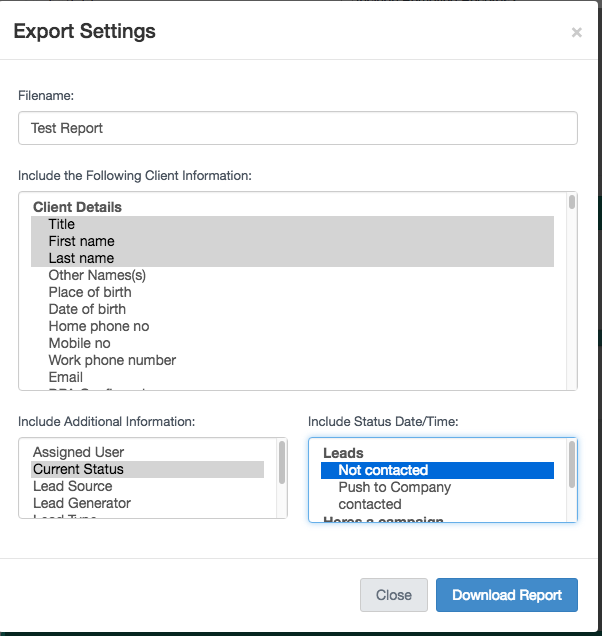
Download this report, and you should now have your information.
Comments
0 comments
Please sign in to leave a comment.