
Some HubSolv users will have Introducers who require their own access to view their assigned leads/cases. the best way to achieve this is by filtering access by Lead source.
Initially, you will need to grant an Introducer the capability to work on their own leads.
- Create a group, it's recommended to call the group either their name or the name of the lead source. Add only those relevant to the leads/leads source using the 'Edit Group Members' button.
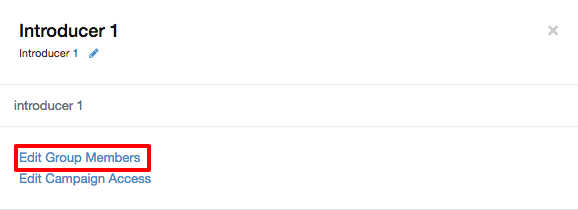
- Grant the group access to the campaign in which their leads are pushed into (Most commonly the Leads campaign but you can separate these cases from all other by creating a new campaign).

- Set the campaign filter to the relevant lead source (this means that the Introducer will only see the leads within the campaign from their own lead source).
For the Introducer's leads to be assigned automatically, you will need to create a trigger, so that when a new lead is pushed into the campaign from the Introducer's lead source, it will be assigned to them allowing but also preventing them from seeing the rest of your HubSolv.
Make sure you have your API set up for wherever these leads come from i.e. website or dialler.
To create this trigger go to the campaign page;
- Select the trigger icon on the campaign.
- Choose the trigger "Added to campaign by other method (API, import, etc)"
- Configure the action "assign to user in group" and select the Introducer's group.
- The condition that must be met is "lead source is set to_"
- Select the relevant lead source(s)
- Enable the trigger.
Once all of the above has been set, your introducer will have access to their leads that match the relevant lead source.
Comments
0 comments
Article is closed for comments.