
Hubsolv has the functionality to import data (.csv) directly into hubsolv to populate client records.
There's not a strict template for this data, we allow you to name your own columns and match them up with the fields in HubSolv.
Campaign Management
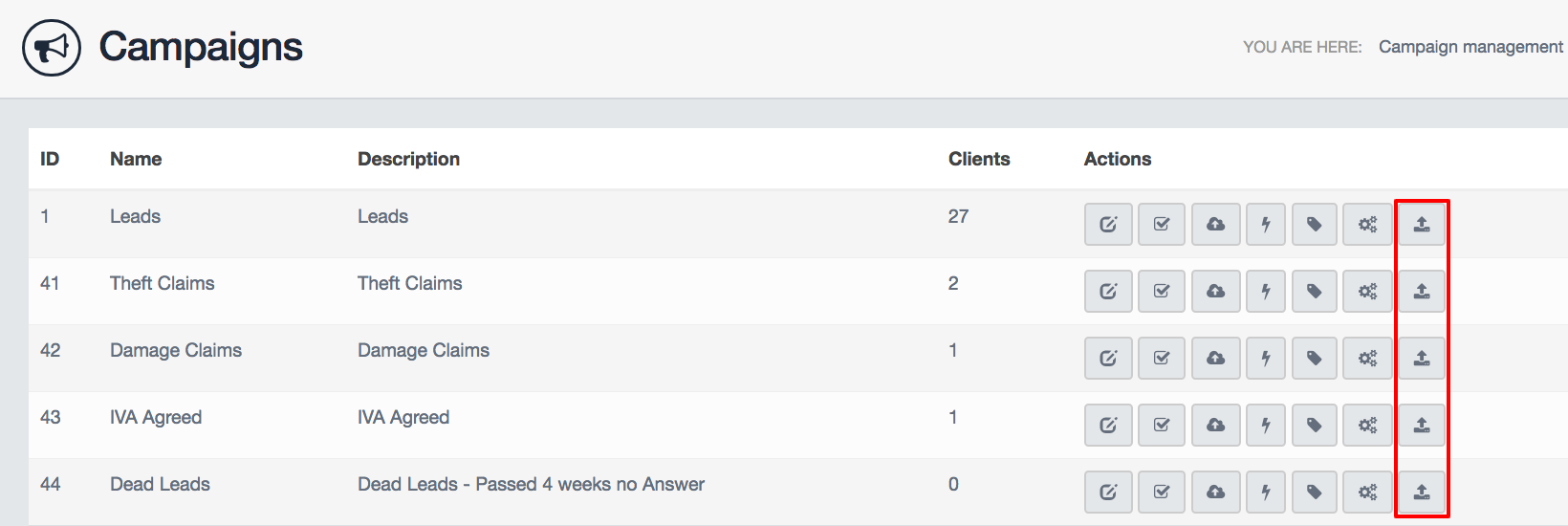
- First, go to campaign management and select the campaign you wish to import data into
- Select the import icon on the relevant campaign
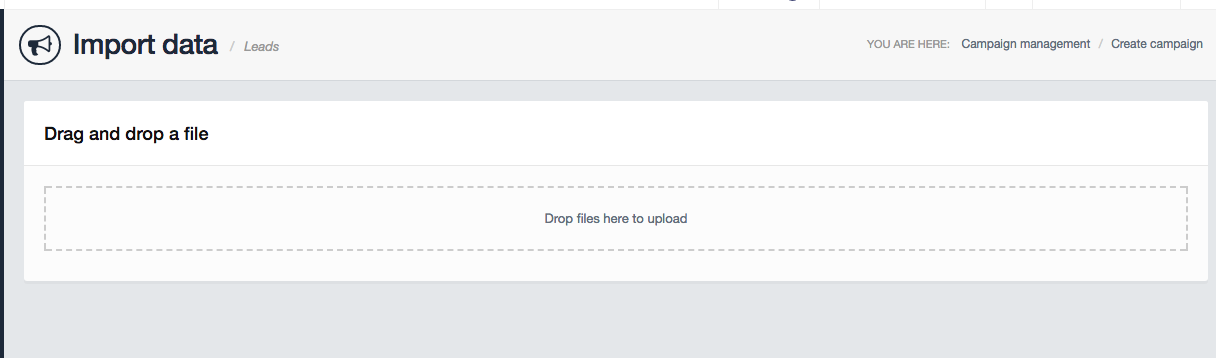
Drag and drop your file into the box to upload the file to HubSolv.
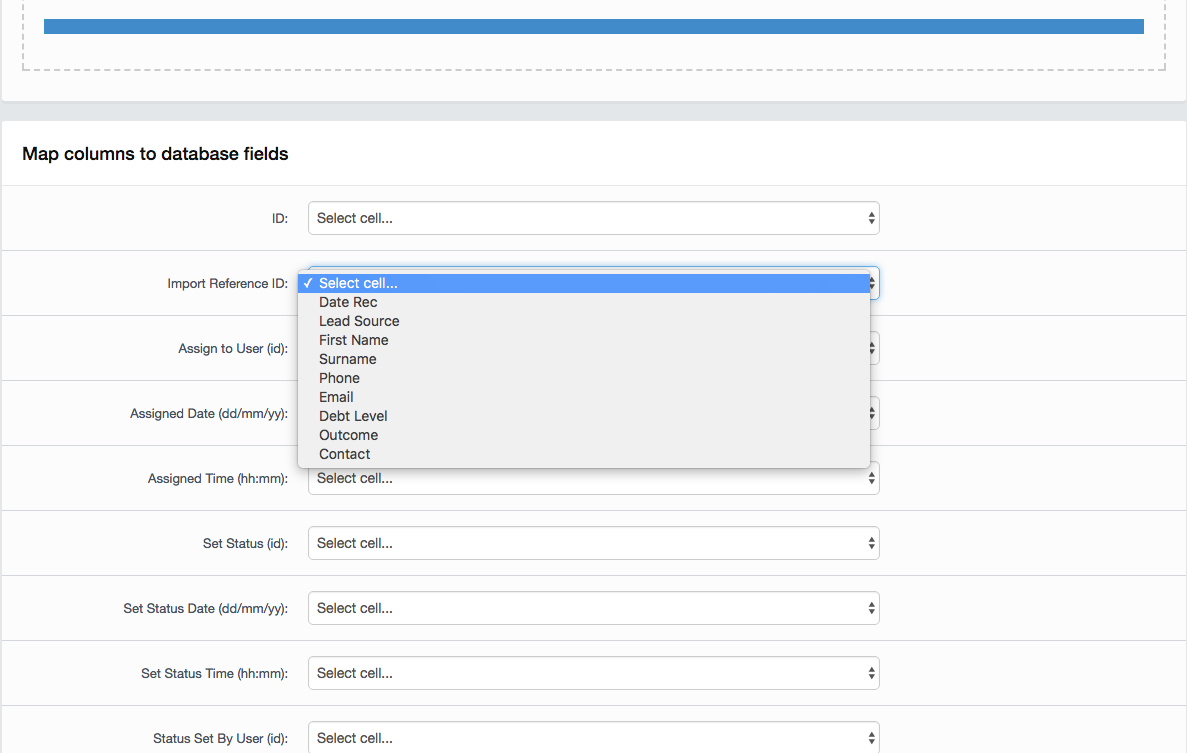
Once the file is uploaded, you will now be able to select which columns match what fields in HubSolv.
Once you've matched all the fields, you will be able to see a preview on the next page of what your data will look like, you can then modify the settings and choose what to do with duplicate records. You can choose to ignore it, or update the existing record in the system.
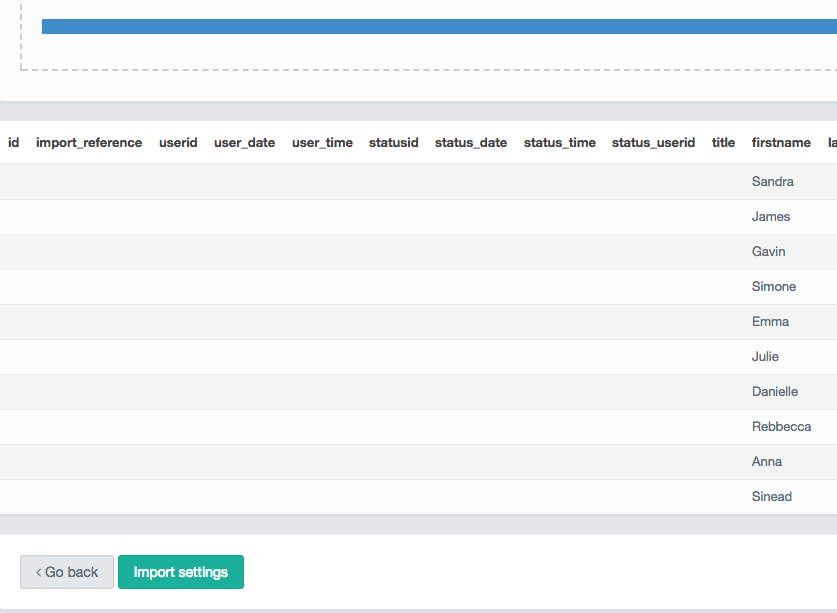
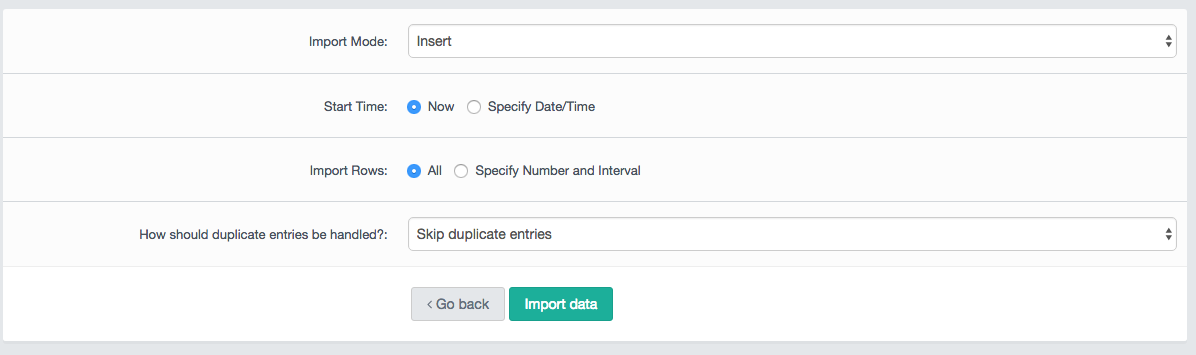
Click the import data button and then your data will begin to import.
Contact helpdesk@hubsolv.com if you require any further assistance.
Comments
0 comments
Article is closed for comments.