
When you bring leads into your HubSolv they must be assigned to a campaign. Campaigns are an effective way to arrange your leads/cases based on their source. Your User Groups allow access to campaigns where you can manage who can see and work on the leads within a certain campaign.
To create a new campaign, go to campaign management then select create campaign. From here you can put in a name and description for what its purpose is as well as what modules it should have access to. Once the campaign has been created you can then add campaign statuses.
Campaign Statuses
Your campaign statuses should be relevant to the process you want all cases within that campaign to follow, for example, your campaign to generate leads will have statuses relating to the level of engagement (see image below). Each campaign can have an unlimited amount of statuses and each can be used to trigger actions relating to the case whereby you can automate your process. For more information on Campaign Triggers click here.
You can add and edit a status from Campaign Management then, Campaign and click on the Campaign Statuses icon.

From here you can either import a status from another campaign or create a new one.
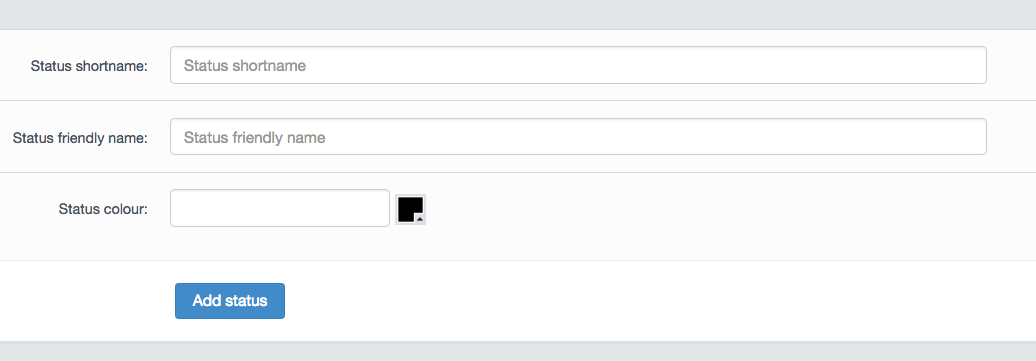
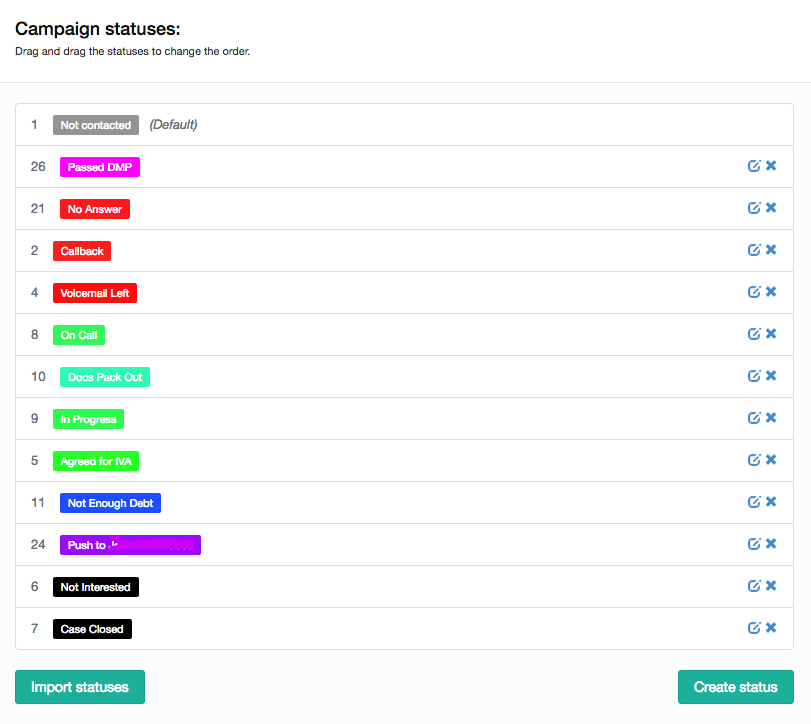
When creating a new status, you will be given the option to associate a colour which in turn will allow for easier navigation through cases and determine at a glance where each case is within the process.
Once you have your campaign status list you will be ready to set up triggers which can assist your business in cutting down on the number of manual actions performed on each case. A list of triggers along with a description of what they do can be found here.
Comments
0 comments
Article is closed for comments.