
HubSolv contains the functionality where you can run an action in bulk against a group of client records. This is a quick and effective way of managing your client records and data, and eliminating elements of manual case handling.
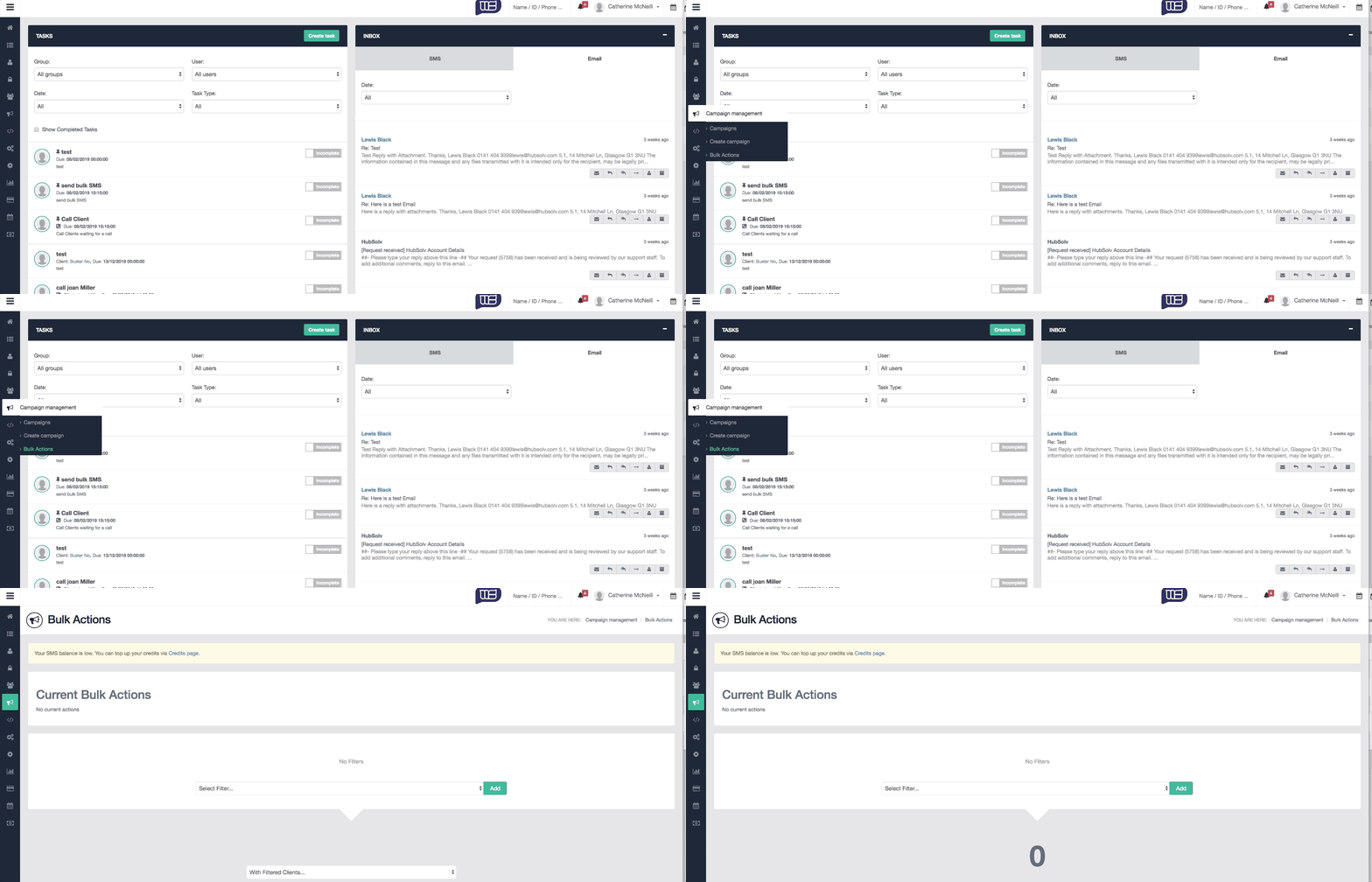
Bulk actions are able to be filtered by;
- Campaign
- Status
- User
- Lead Source
- Lead Generator
- Lead Type
The examples below show a few commonly used ways to use the bulk action function.
Bulk change client status within a campaign
Below example details the process to change the status of a number of clients from 'Not Contacted' to 'No Answer' - can also be useful for moving clients to another stage in your case process.
Bulk move clients from one campaign to another
Below example shows how to move clients in bulk from one campaign to another. Useful if you want to move clients from a 'live leads' campaign to a campaign where old or dead leads can be placed. Also important to know the related 'remove from campaigns' action can have the opposite effect and useful if you want mulitple client records associated with one campaign only.
Bulk SMS/Email
Example below showing both bulk SMS and Email actions. Key feature for bulk SMS actions is the ability to view how many messages will be sent and how many SMS credits you have available. Also important to highlight you will need to save your message (SMS or Email) as a template in order to perform the bulk action.
Bulk assign to user
This is a useful action for any change in user that is required against a group of clients. The example shows a scenario where a user is no longer active so all clients assigned can be re-assigned to another user.
With any bulk action, HubSolv will systematically go through each client to perform the request so depending on how many records need to be actioned, it may take several minutes for the bulk action to be completed.

You can return to the Bulk Actions page and review the current actions HubSolv is processing.
Comments
0 comments
Article is closed for comments.