
You can add an SMS template which like email and letter templates can pull in the relevant client data via dynamic fields.
Composing the template with dynamic fields means that every SMS is personalised, diminishing the chances that the client will think it is spam.
To create an SMS Template;
- go to Templates icon in the left hand navigation
- create SMS template put in the name (should be used so it is easily identified)
- add a brief description
- compose the SMS message. Each SMS can be 160 characters ( if it is more, you will be charged for 2 messages).
- to add in dynamic fields you need only to press the ‘insert field’ icon, this will automatically pull in the relevant, selected HubSolv data.
Then press save, and the template will be stored in your documents store ready to be sent out when required.
This facility is very useful in circumstances whereby you want to automatically contact the client. To give example; you can set up a trigger, so when a client status is changed to “no answer”, an SMS is automatically sent to them advising them that you have attempted to contact them, and providing them with your contact details.
Once a trigger is set up, you can then create Workflows which are designed to perform actions based on a specific time frame as determined by you. An example of this could be that if an SMS is sent out on Day 1 after a particular status change, but then hasn't changed in another 3 days, then another SMS "chase" could be automated to go out.
You can read more about Workflows here.
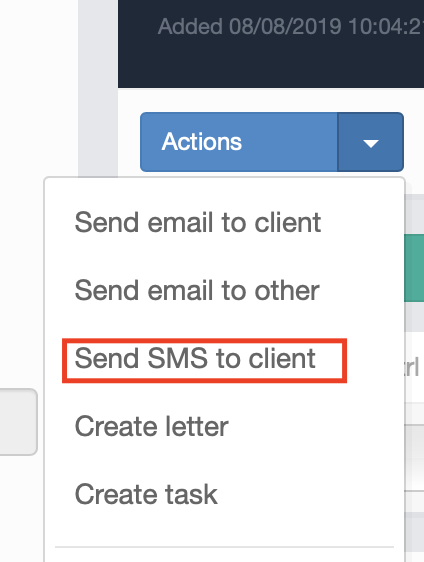
You can also manually send an SMS via the actions menu in any client record that has a valid mobile number setup.
Comments
0 comments
Article is closed for comments.