
HubSolv Messenger (formerly Ibby) has a feature called Bank Connect which allows users to get bank statements from clients.
The system prompts clients to log in to their internet banking to download their bank statements. Most banks have their own kind of log in system - they may require a memorable word or a second password.
Possible issues
HubSolv is built to display the information required, but certain factors may affect the process. Here are a few things to keep in mind and warn clients of:
- Bank Messages; if a message pops up saying something like 'New Offer Below' this may terminate the session, as Bank Connect is not able to dismiss these messages.
- Website Updates; if a bank has recently updated their website, users may experience problems with Bank Connect. Keeping an eye out for updates and news from your bank may help in this regard.
- Internet Banking is required in order for Bank Connect to work. Some clients may not know that they need to use their internet banking details. For clarity, it is best that you let clients know that bank statements will only work through their internet banking login.
Viewing Bank Statements
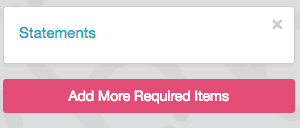
Viewing bank statements is very simple. On the left side, you are able to see items added, such as Statements. Once an item is completed by a client, you will see a button that reads Show Files, which takes you directly to the files uploaded.
If you experience any problems or have any questions about Bank Connect, feel free to contact us at helpdesk@hubsolv.com. Please note that, however, we find that most issues with Bank Connect are related to clients entering the wrong information when logging in to their Internet banking, so we advise that clients ensure that the issue is definitely not directly with the bank.
Comments
0 comments
Please sign in to leave a comment.