
The purchase of SMS credits in HubSolv now works with a credit system, allowing users to top up their SMS Credits in advance when they are running low.
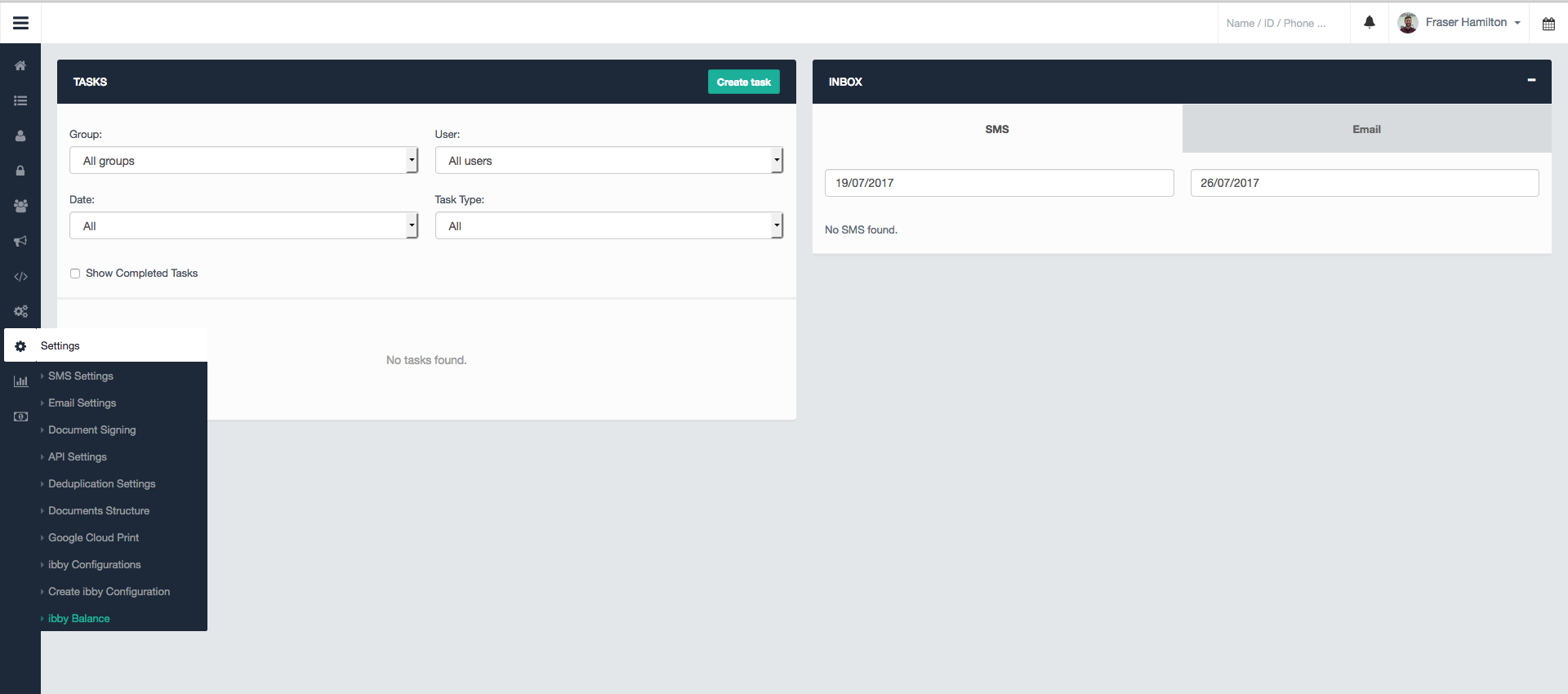
To check your SMS balance, go to your Settings within HubSolv, and click on Credit Balance.
Please note: We rebranded our client portal, formerly called Ibby, under the name HubSolv Messenger. You may find the term or logo Ibby still in our media - please bear with us while we work to update the product's name and brand visuals throughout.
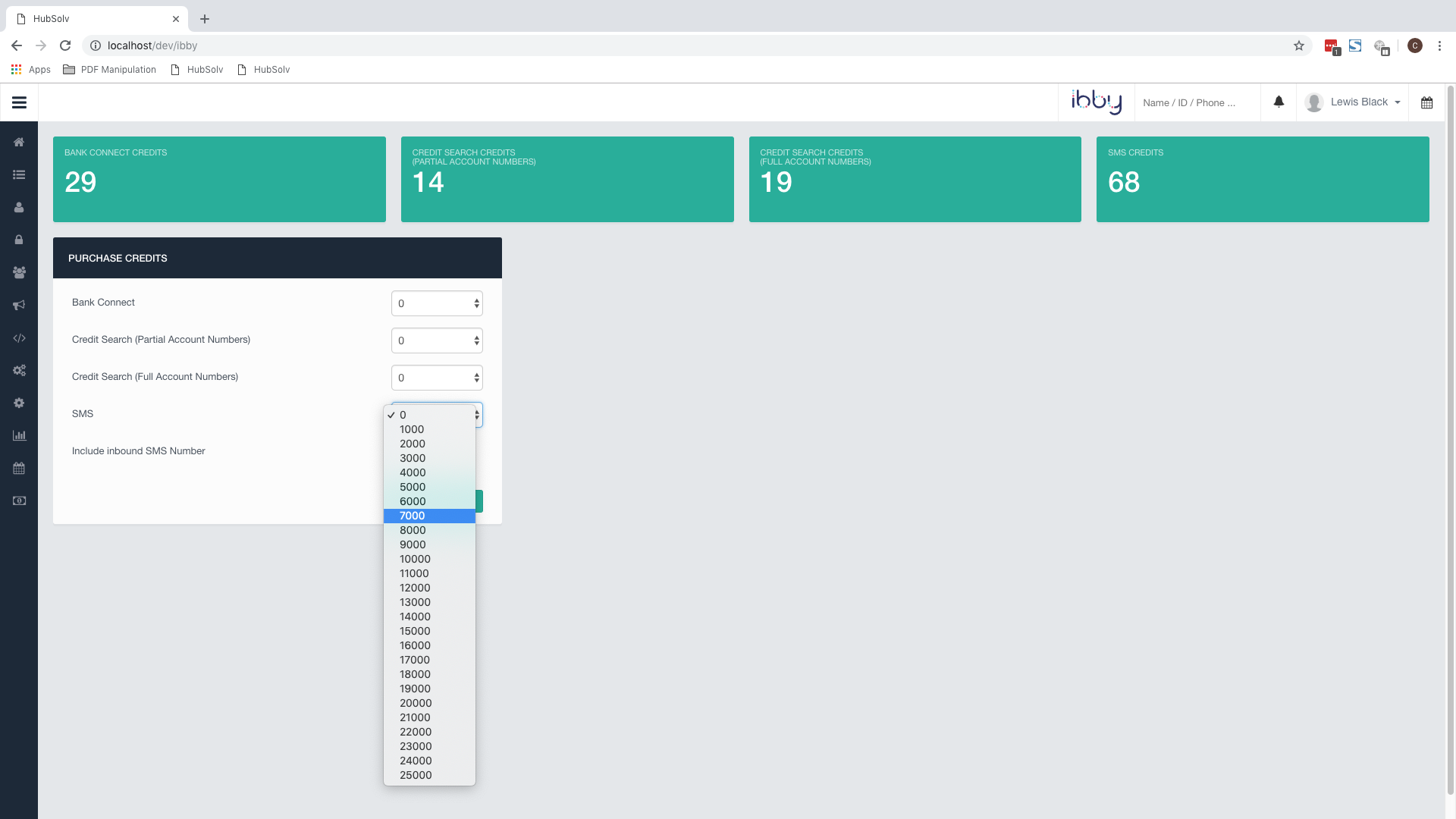
You will be taken to a screen detailing your current credits, and the option to top up. You can buy your pre-paid SMS credits in Bulks of 1,000 up to a maximum of 25,000 at one time, with each SMS costing 4p + VAT.
How to know when to top up
You can always find your current SMS balance within your settings, as shown above. You will also be informed about your current balance when you are about to complete Bulk Actions.
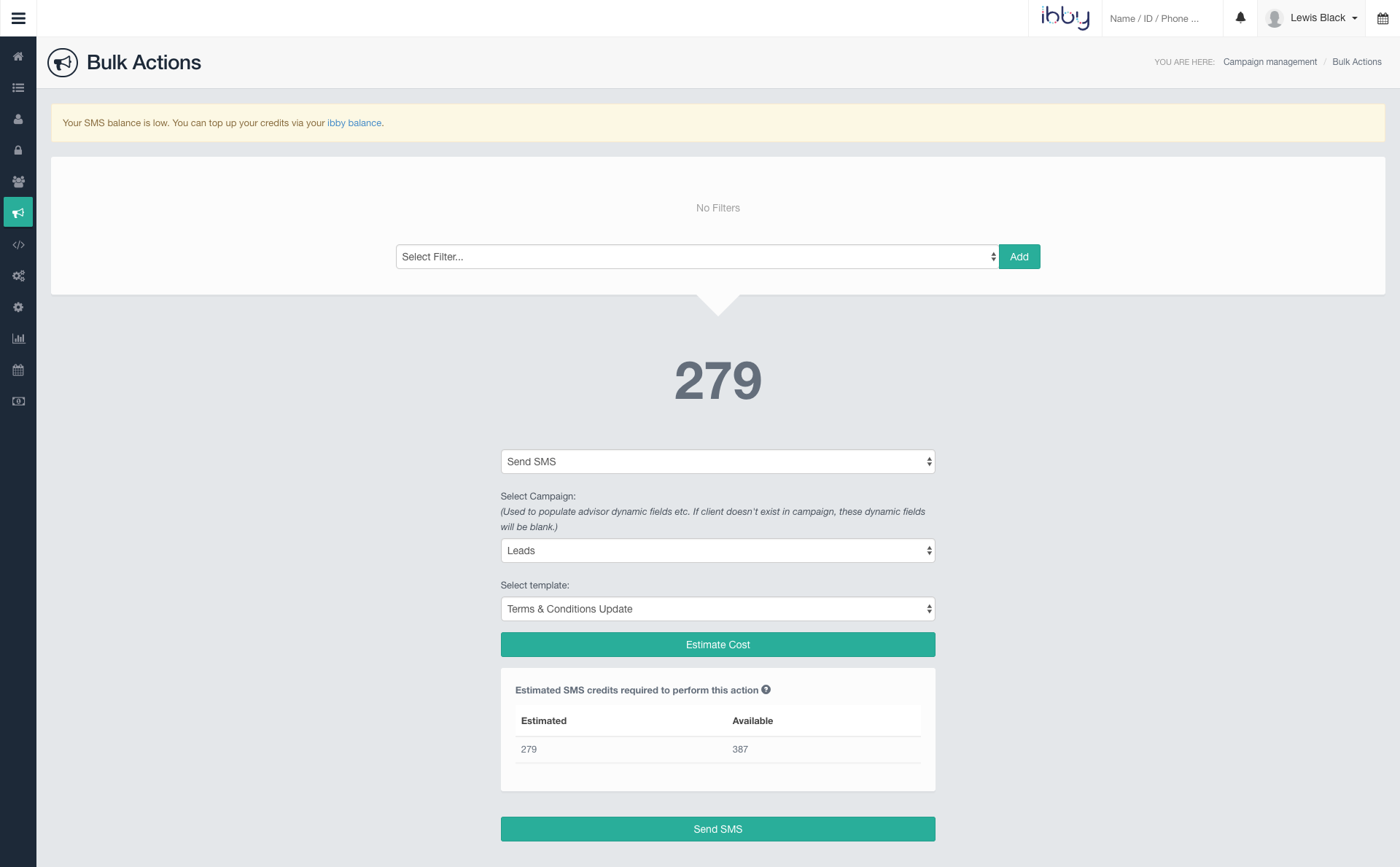
When sending out a Bulk Action, you will be shown an estimate of how many SMS the bulk action will use; as well as how many you have available. This will give you the opportunity to top up before completing this action.
You will see a notice message (see highlighted message at the top of the screen above), when we recommend that you top up your SMS before executing a specific action.
When creating SMS templates sending out text messages, remember that, if your message goes over 160 characters, it will automatically use 2 SMS Credits; if it reaches 320 characters, it will use 3 SMS Credits, and so on.
If you have any questions, please do not hesitate to contact us on helpdesk@hubsolv.com.
Comments
0 comments
Please sign in to leave a comment.