
All users of HubSolv must be assigned a role; only those who are assigned super admin access can view and alter all parts of HubSolv.
To create a new role, navigate to Role Management and then to Create Role.
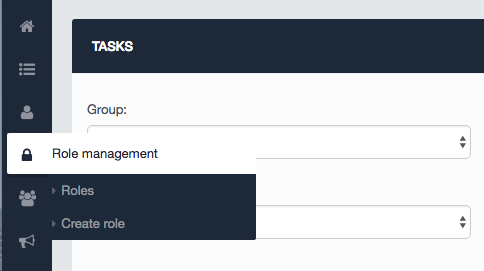
A user is defined by their role, and only has permission to see certain parts of HubSolv- This is managed through capabilities.
From Role Management, you can assign capabilities that befit the user using that particular role. For example, a user who has the role of 'Debt Advisor' within your business may not necessarily need access to reporting functions and should only be seeing the leads/cases to which the advisor has been assigned. For this example, the capability to 'View reports' should be unticked. In order for this user to only see the leads they have been assigned, the 'View all clients in user's campaigns' should be ticked.
Only the individuals who are assigned the role of super admin can amend a user’s capabilities.
When deciding what capabilities to assign to the role of debt advisor, you in most instances will not want them to have the ability to;
- manage workflows
- manage triggers
- manage delete clients
But you may want them to;
- contact client via SMS and email/view client emails and SMS
- assign clients to users in group
- edit clients
- view clients
These capabilities tie into which campaigns and user groups they are associated with.
You can find out more about each here:
You can add on or reduce the capabilities of a role at any point provided you have super admin access. Once the capabilities have been amended, the user will need to log out of HubSolv and then back in to take effect.
Comments
0 comments
Article is closed for comments.